
How to Use AI to Change Your Facial Expression Online
Transform your photos with AI-powered facial expression editing. Learn how to modify expressions naturally for professional headshots, social media, and personal branding using advanced AI technology that preserves authenticity while enhancing emotions.
How to Use AI to Change Your Facial Expression Online
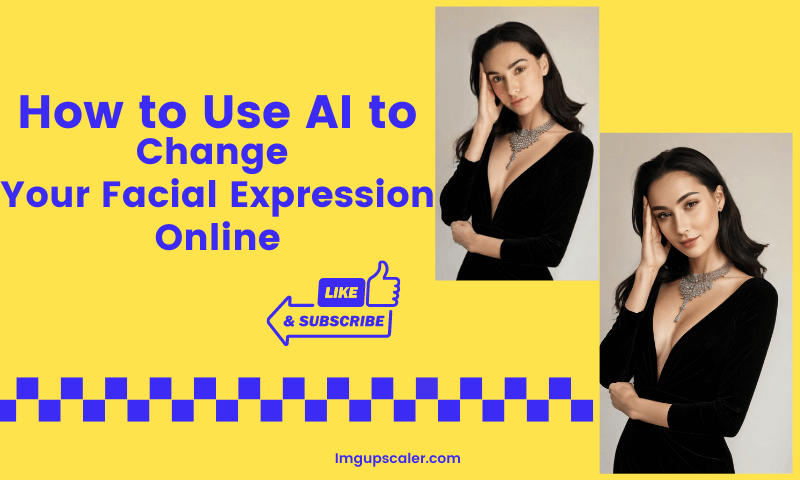
How to Use AI to Change Your Facial Expression Online
In a world driven by digital impressions, your facial expressions in photos speak volumes. Whether you're crafting a professional headshot or jazzing up your social media profile, the way you present yourself can leave a lasting impact.
But what if the expression you're trying to show doesn't look natural in the shot? Enter AI facial expression editing, a game-changing innovation that allows you to customize your look effortlessly.

boy's blue crew-neck shirt
Photo by Jeremiah Lawrence / Unsplash
How AI Enhances Self-Presentation
Your facial expressions can influence how others perceive you. For job seekers, a welcoming smile can make a LinkedIn profile photo stand out. For influencers, expressions that resonate with their audience can boost engagement. AI tools offer unparalleled control over these nuances, ensuring your photos align perfectly with your goals.
What is AI Facial Expression Editing?
AI facial expression editing refers to the use of artificial intelligence to modify or enhance the expressions on a person's face in an image.
By analyzing the facial structure, key points, and emotional cues, AI algorithms seamlessly adjust expressions—from subtle smiles to dramatic changes like shifting from anger to joy.
This technology leverages deep learning to deliver realistic results that are nearly indistinguishable from the original image.
Best AI Tools for Changing Facial Expressions: AI Images Upscaler
AI Images Upscaler is an online AI image upgrading tool with the recently updated Reimagine feature. It allows users to make adjustments to the details of the image, including modifying the character's expression based on the original image by typing prompts.
Step-by-Step Guide to Using Reimagine Images Online
1. Step 1: Go to the AI Images Upscaler page and click "Reimagine" in the navigation bar or "Reimagine" in the "New" tab in the middle of the page. Upscaler" in the middle of the page. 2. Step 2: Upload the photo that needs to be repainted, and enter the relevant Prompt according to the part that needs to be modified. Select "Portrait Modal" or "Detail Modal" according to the type of picture. 3. Step 3: Adjust "Creativity" and "Resemblance Strength" and click "Reimagine & Upscaler". Click "Reimagine & Upscaler" to start reimagining the image. 4. Step 4: Click the magnifying glass icon in the upper right corner of the image to preview after the generation is completed, and click the download icon to save it locally.
Why Do We Choose AI Images Upscaler to Change Facial Expressions?
Effortless Navigation with a User-Centric Interface
One of the standout advantages of the AI Images Upscaler Reimagine feature is its highly user-friendly interface. Accessing the Reimagine tool on the AI Images Upscaler website is intuitive and straightforward.
Users can easily upload their images by either dragging and dropping them into the designated area or selecting them directly from their device with a single click.
There are no overly complex menus or settings to navigate, making it accessible for everyone—from complete beginners to seasoned image editors. Changing facial expressions online has never been simpler or more accessible.

woman smiling wearing flower crown
Photo by Autumn Goodman / Unsplash
A World of Expressions at Your Fingertips
Once an image is uploaded, the Reimagine feature offers a versatile prompt box for selecting desired expressions. Whether you wish to transform a frown into a warm smile, add a surprised expression, or create a serious look, you only need to enter a relevant emoji or keyword.
Thanks to advanced AI technology, the adjustments appear natural and adapt seamlessly to various face shapes and skin tones.
For example, choosing the "Smile" option modifies the lips but also subtly tweaks the eyes and cheeks to enhance realism. This meticulous attention to detail ensures that the altered expression looks genuine rather than artificially imposed.
With a broad range of options, AI Images Upscaler allows users to easily enhance photo expressions and convey the exact emotion or message they want through their images.

man beanie smile happy
Photo by Sergio de Paula / Unsplash
Professional-Grade Quality That Impresses Every Time
The AI Images Upscaler Reimagine feature goes beyond simple expression adjustments by delivering exceptional image quality. The advanced AI ensures that the final output is rich in detail and boasts excellent resolution, even when working with lower-quality original images.
There are no visible artifacts or distortions, guaranteeing professional-grade results. This high-quality output is particularly valuable for professional use cases such as marketing materials, social media campaigns, or personal portfolios.
The images retain their visual appeal and integrity across various applications, from online presentations to large-format printed materials. With AI Images Upscaler 's AI-powered facial expression editing tool, you can confidently use your images to leave a lasting impression, no matter the medium.

woman portrait
Photo by engin akyurt / Unsplash
Benefits of Changing Facial Expressions Online
Enhancing Digital Communication
Expressions convey emotions that words often cannot. By editing facial expressions in photos, users can enhance the emotional tone of their online presence, whether on social media, in virtual meetings, or through personal branding.
Boosting Personal Branding
In the age of social media, a captivating profile picture can set you apart. Altering expressions to suit the context—professional or casual—adds a unique touch to your online persona.

"Be able to love, heal and accept yourself, so you can then offer these gifts to others"
Photo by Lesly Juarez / Unsplash
Applications of Changing Facial Expressions Online
- Social Media: On social media platforms, a more engaging or appropriate facial expression can make your profile picture or posts stand out. For example, a smiling face in a business-related post can convey a more approachable and friendly image. In a personal context, changing the expression in a photo can add a touch of humor or drama, making it more share-worthy among friends and followers.
- Marketing and Advertising: Brands can use images with altered facial expressions to evoke specific emotions in their target audience. A happy-looking model in an advertisement can make the product seem more appealing and enjoyable. By changing the facial expressions of models in product shots, marketers can create a more emotional connection with consumers, increasing the likelihood of a purchase.
- Personal Projects: Whether it's for a family photo album or a creative art project, changing facial expressions can add a fun and unique touch to your images. You can turn a solemn family portrait into a more light-hearted one by adding some smiles or creating a fictional character with a specific expression for a digital art piece.

gray concrete wall
Photo by Andrew Seaman / Unsplash
Conclusion
AI technology has made it easy to change facial expressions in photos and videos. This technology offers numerous benefits, from enhancing communication to providing creative freedom. With AI Images Upscaler , you can transform your photos into captivating visuals that leave a lasting impression. Start exploring today and unlock the full potential of your creativity!